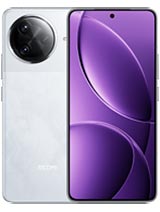
Download Redmi K80 Pro / POCO F7 Ultra (miro) OS3.0.301.0.WOMRUXM
Product Code: miro • Region: Russian • Channel: Stable
| Product Code: | miro |
| Region: | Russian (ru) |
| Version: | OS3.0.301.0.WOMRUXM |
| Android Version: | 16 |
| Type: | Fastboot |
| Release Channel: | Stable |
| Release Date: | 2026-05-30 |
| File Size: | 9.5 GB |
| File Name: | miro_ru_global_images_OS3.0.301.0.WOMRUXM_20260506.0000.00_16.0_ru_a818b855cd.tgz |
| MD5: | a818b855cd45b724d16149f33e6205fd |
Download Mirrors
Changelog
Comprehensive system app optimization Camera: New: A one-tap download for the "Mi-LOG to Rec.709" color conversion LUT file from the Pro video intro page in Camera settings Optimization: Added a preset management page and support for bulk import/export of preset parameters for Pro mode Recorder: Fix: An occasional recording error during long recordings Fix: Duplicate recording entries in some cases Calendar: Optimization: Holiday display in Calendar, with more traditional festivals and historical commemorative days Fix: An issue where dates displayed incorrectly in some cases Other improvements: New: Clarity mode brings together text and icon size, ringtone volume, scam call blocking, and other phone settings New: The option to tap the status bar to return to the top of the page in some apps and scenarios Optimization: Mi Mover now supports transferring more data, including some settings and user data from system apps Optimization: Gallery search animations for smoother transitions Fix: An issue where macOS compressed files didn't display properly in File Manager in some cases Fix: Stuttering when loading multilingual screenshot thumbnails in some cases New: Tap the NFC area on your Xiaomi phone or iPhone to quickly share recordings and notes New: Xiaomi phones now support AirPods, including fast pair pop-ups, battery status, Spatial Audio, noise cancellation switching, and Find My New: After SMS verification codes received on iPhone are synced to your Xiaomi phone, they can be detected and copied with one tap Optimization: When you open Xiaomi phone apps in while using Screen Mirroring on iPhone, you can use the input method set on your Xiaomi phone at the same time New: More system apps now support Private access, with ongoing compatibility improvements for additional apps Optimization: Updated "Fingerprints, face data, and screen lock" page layout for easier, faster setup